To play with a friend, open FightKaro, select Play with a Friend, and have one player choose Host a Room. The other player enters the host's current room code and selects Join. Follow the game's room prompts to continue.
What we checked: the public page displayed the host button and join-code field on November 8, 2026. We have not independently created or joined a room, completed an online match, or tested cross-device play. The instructions below combine those visible controls with the cited independent guides; room behavior can change.
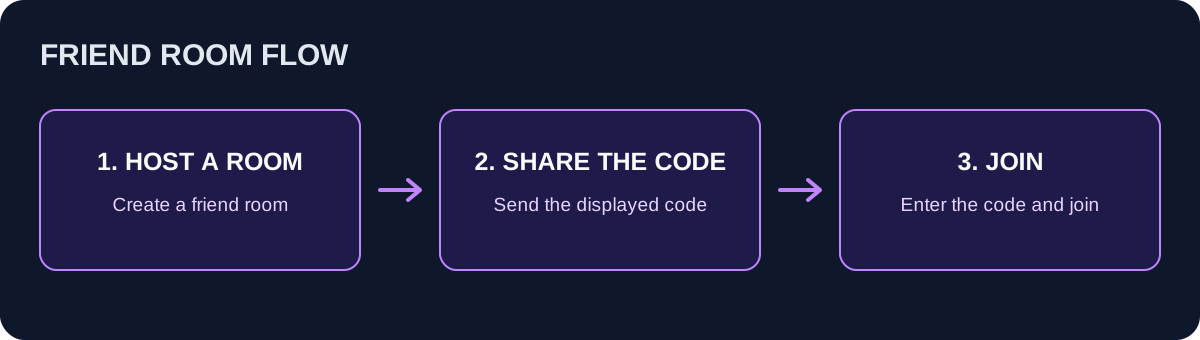
Illustrative room flow based on the public menu; this is not a screenshot or a record of a completed connection.
Host a room
- Both players open the FightKaro browser game and proceed past its satire notice and start screen.
- On the fighter selection screen, choose Play with a Friend.
- The host selects Host a Room and shares the room code displayed by the game with the intended player.
- Keep the room open while the other player joins. If the interface offers a share link, verify it points to the game before sending it.
The independent FightKaro guide describes an invitation link as an alternative to manually sharing a code. We have not verified the share flow or how long a room remains available. Other reports show different code lengths, so copy the code that your current room actually displays.
Join and start
- Open the game and choose Play with a Friend on the selection screen.
- Enter the code provided by the host in the room-code field and select Join.
- Follow the current room prompts to choose fighters and start. If the screen asks each player to confirm readiness, both players need to complete that step.
The public page confirms that host and join controls exist, but does not establish that a particular phone, browser or combination of devices can connect. Try the current room flow on both devices and keep any error message for troubleshooting.
Room code or connection problems
| What you see | What to check |
|---|---|
| The code is rejected | Copy the current code exactly, without extra spaces. Confirm that the host is still in the room and has not created a replacement. |
| The host is still waiting | Confirm both players opened the same game and that the guest selected Join after entering the code. Check both connections. |
| The room disappeared | A refresh, closed tab or connection interruption may end a session. Ask the host to create a new room and share its current code. |
| Keys do not control the fighter | Check whether the code field or another overlay still has focus, then select the game area. See the controls guide. |
| Phone controls are covered | Rotate to landscape as prompted and check the browser toolbar. See mobile setup. |
These are practical checks, not a verified list of all server errors. Avoid publishing a live room code or sending passwords when asking for help.
Friend-room questions
Is a room code a reward code? The game page presents it as a way to join a friend's room, not as a reward or redeemable item.
Can a phone play against a computer? The page provides mobile controls and a friend-room menu, but we have not tested a cross-device match. Check the current interface on both devices.
Can I select MBAPU in a friend room? An independent boss guide reports that the boss is unavailable in friend rooms. We have not independently verified the restriction; see the MBAPU guide for the separately reported CPU challenge.
For the first CPU match, fighter selection and stages, start with how to play. This independent guide covers the FightKaro satire fighter, not the separate parliamentary strategy game with a similar name.