The Sansad Showdown control legend gives keyboard inputs for desktop and on-screen controls for touch devices. Start with movement and guard, then add attacks one at a time. This independent guide describes the public FightKaro page checked on November 7, 2026. The live game's own legend takes precedence if an update changes the inputs.
Keyboard reference
| Action | Keyboard input | What to look for |
|---|---|---|
| Move | A / D or left / right arrows | Walk toward or away from the opponent |
| Jump | W or up arrow | Move upward |
| Crouch | S or down arrow | Lower the fighter's stance |
| Block | Hold back | Back means away from the opponent |
| Punch | J | Basic hand attack |
| Kick | K | Basic leg attack |
| Grab | I or J + K | Close-range grab input |
| Super | L or Space | Requires a full SHAKTI meter |
| Pause | Escape | Opens the pause control |
| Music / mute | M / N | Audio controls |
| Budget | B or the BUDGET touch button | The page displays a prompt for Nirmala's Budget |
The public game page displays a prompt to press B or tap BUDGET. We have not tested what the feature does during a match or how it affects play; follow the current on-screen instructions.
The important detail for defense is that back is relative to the other fighter. If your fighter is on the left, back is generally left; if the fighters change sides, back becomes right. Make a habit of looking at their positions before holding a direction. Holding one physical key for an entire match will not always mean holding back.
Touch controls
The public page displays a directional control and buttons labeled PUNCH, KICK, GRAB and SUPER. Rotate the phone to landscape when prompted. Place the device on a stable surface or hold it comfortably with both hands, leaving the center of the screen visible. If a browser toolbar covers a control, use the page's fullscreen or toolbar option and check the screen again.
Touch controls can feel different from a keyboard because your fingers cover part of the display. Start by moving without attacking, then try a single punch and a single kick. Practise changing direction and returning to neutral. Add longer combinations when you can consistently distinguish the virtual direction from the attack buttons.
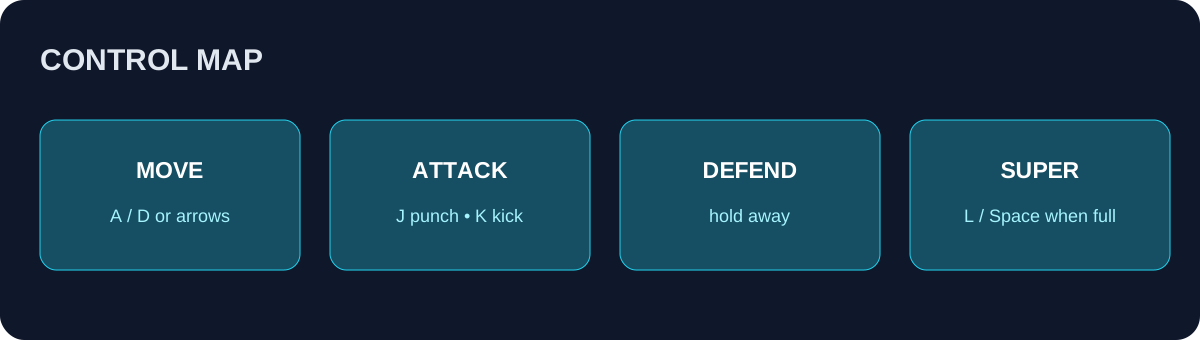
Original reference diagram based on the public control labels. Check the current game screen for changes.
Directional attacks and combinations
The public game legend lists these inputs. A comma means press the buttons in order; a plus sign means use the inputs together. Forward means toward the opponent.
| Move | Keyboard | Touch |
|---|---|---|
| Forward punch | Forward + J | Forward + PUNCH |
| Forward kick | Forward + K | Forward + KICK |
| Sweep | Down + K | Down + KICK |
| Triple punch | J, J, J | PUNCH, PUNCH, PUNCH |
| Punch, punch, kick | J, J, K | PUNCH, PUNCH, KICK |
| Punch, kick, kick | J, K, K | PUNCH, KICK, KICK |
| Double kick | K, K | KICK, KICK |
| Crouching punch follow-up | Down + J, J | Down + PUNCH, then PUNCH |
| Crouching punch to kick | Down + J, K | Down + PUNCH, then KICK |
The game page lists the last two sequences in its keyboard legend; the touch equivalents above are inferred from its button labels and have not been tested. The page does not give exact timing windows or guaranteed damage for these inputs.
Practise one sequence at a time. Stand close enough to see whether the first move reaches, perform the inputs calmly, and watch the result. If the sequence does not appear, reset your position and try a different rhythm. The exact timing can depend on the current build and the fighter's state, so do not treat an unverified timing claim as a permanent rule.
Use the same approach on a touch screen: tap the labeled attack buttons in order and keep the movement control stable. Start with two inputs before attempting a three-input sequence. The goal is reliable execution, rather than simply pressing as fast as possible.
Blocking and spacing
Holding back is a useful habit when you are unsure what the opponent will do. Watch their movement and give yourself room to react. If an attack keeps getting through, experiment with standing and crouching defense while paying attention to the game's response. This guide does not claim an exhaustive list of which animation hits at which height; verify current behavior in a match.
Jumping can help reposition, but an airborne fighter has less opportunity to adjust on the ground. Try walking instead of jumping every time you want to close distance. If an attack misses, note the spacing rather than repeating it immediately. Ask whether you were close enough and whether the opponent had already moved away.
A grab is another input to practise at close range. Because the game distinguishes it from punch and kick, do not assume a grab has the same range or defensive interaction as a strike. Try it against the CPU and observe the result. Avoid treating a particular counter or timing window as guaranteed unless the current game provides it.
Using SHAKTI
The game legend associates the super with a full SHAKTI meter. Check the meter before using L, Space or the touch SUPER button. If a super does not activate, first check whether the meter is full and the game has focus. Then see whether the fighter is already in another animation or the round has ended.
Treat the meter as a resource to observe. Test a super in a low-pressure CPU match to learn its visible range and animation. A full meter does not guarantee a hit; using it when the opponent is far away may be less useful than waiting for a clearer opening. These are practice suggestions, not promises about damage or invulnerability.
A five-minute drill
Spend one minute walking left and right while keeping the opponent in view. Spend the next minute jumping and crouching deliberately. Then alternate one punch and one kick without mashing. For the fourth minute, hold back when the CPU approaches and attack once after an opening. Finally, test a short combo or a super when its meter is ready. Repeat the part that felt least consistent.
If keys do not respond, click inside the game, close any overlay and check for conflicting browser shortcuts or keyboard layouts. On mobile, check orientation and whether the browser interface covers a button. Reloading can end a match or friend room. For setup, see how to play; for phone-specific guidance, see mobile play.